
K-APPS ELECTRONIC & DIGITAL DOCUMENT SIGNING
Every signature recorded.
One final digital seal.
Prepare, route and sign documents in SharePoint Online. Capture every approval, include external signers and seal the completed PDF once.
- SharePoint OnlineCollaboration
- Microsoft 365Productivity
- Microsoft Entra IDMFA & identity
- Azure Key VaultProtected signing key
Ready. Signed. Sealed.
Approved
Work where your teams work.
Launch signing in SharePoint or connect an existing business workflow.
Keep every signer accountable.
Record identities, signing actions and timestamps in the request history.
Reduce certificate operations.
Apply one organization seal after the final signing step.
FROM REQUEST TO COMPLETION
A clear path to a signed PDF.
Prepare
Upload a PDF or convert a Word document. Place signature or initials fields.
Route
Set the signing sequence for employees and external recipients.
Review & sign
Review the document and confirm each signature or initials step.
Seal & store
Seal the completed PDF and keep it with its history in SharePoint.
TWO DIFFERENT APPROACHES
Accountable signers. A simpler sealing model.
Signer-specific PKI signs each step with that person’s certificate. K-Apps records each electronic signing action, then digitally seals the final PDF with the organization’s certificate.
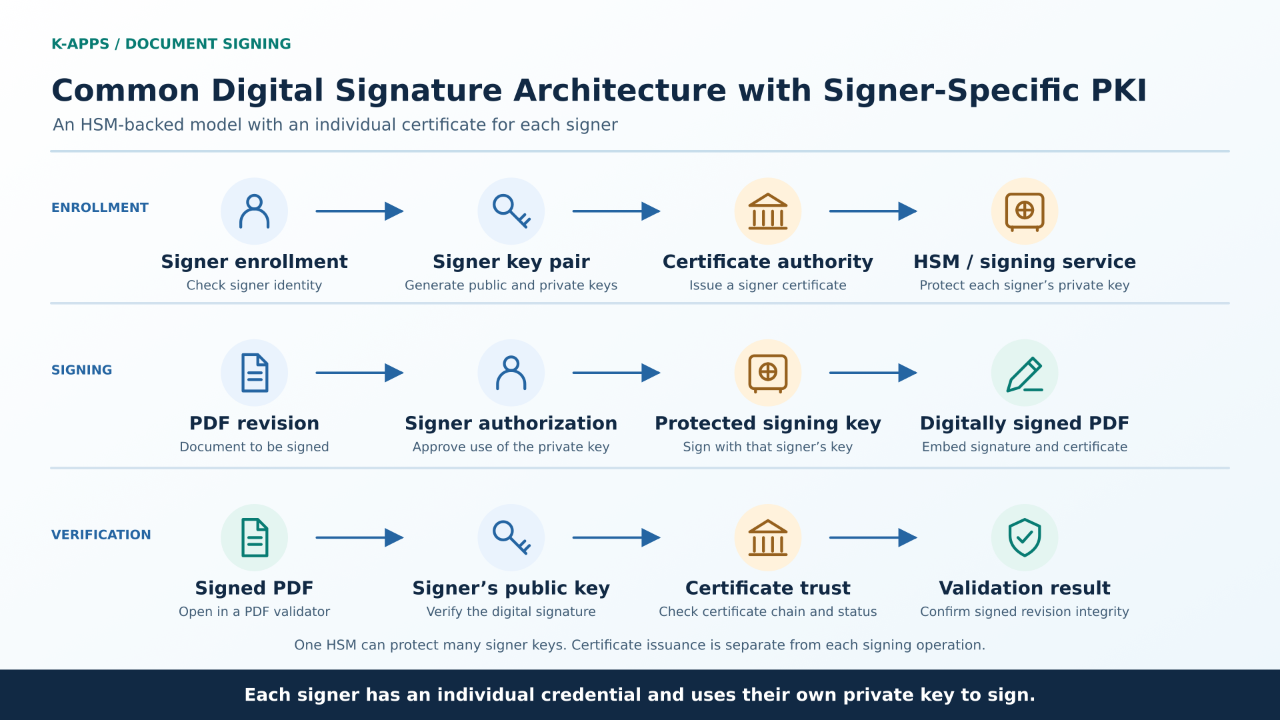
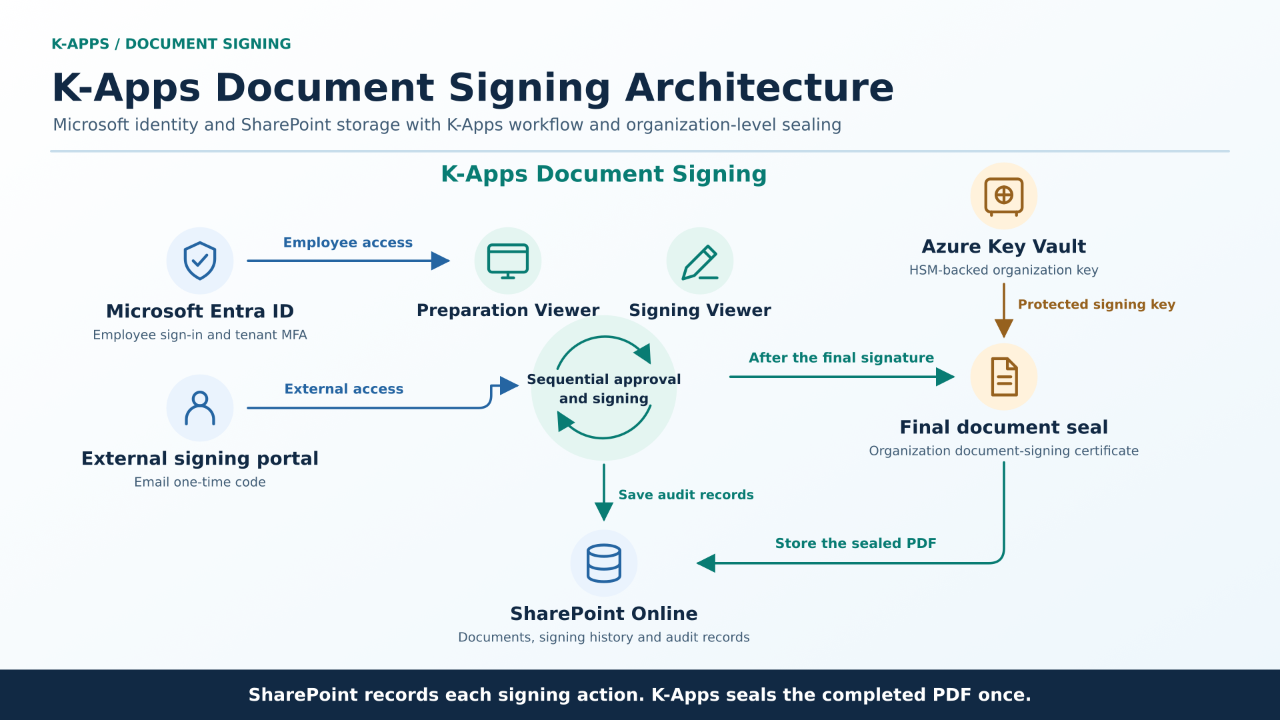
ONE DOCUMENT · TEN SIGNERS
Ten signing actions. One final seal.
A simple example of how the two models use certificate-based signing operations.
signing operationsIllustrative 10-to-1 comparison.
Not a pricing or total API-call estimate.
| For one completed PDF | Signer-specific PKI | K-Apps |
|---|---|---|
| Recorded signer actions | 10 | 10 |
| Certificate-based sign / seal operations | 10 (one per signer) | 1 (final organization seal) |
| Signing credentials used | 10 individual credentials | 1 organization credential |
| CA / revocation verification calls | Provider-dependent | Provider-dependent |
Assumes ten distinct signers, one operation per signer in the PKI example and one successful final seal in K-Apps. CA validation, timestamping, retries and other API traffic vary by deployment. The final seal identifies the organization; individual accountability comes from authentication and audit records.
CONNECTED TO YOUR BUSINESS
Bring signing into the work you already do.
Use it as a SharePoint signing workspace or connect it to existing processes through the signing APIs.
- HR offer letters
- Correspondence
- Internal approvals
- External document signing
See your signing workflow, simplified.
Explore the product presentation or arrange a guided demo.